How Retrofit Works Internally
Retrofit is one of the most widely used networking libraries in Android development. It simplifies API calls by allowing developers to define APIs using simple interfaces and annotations.
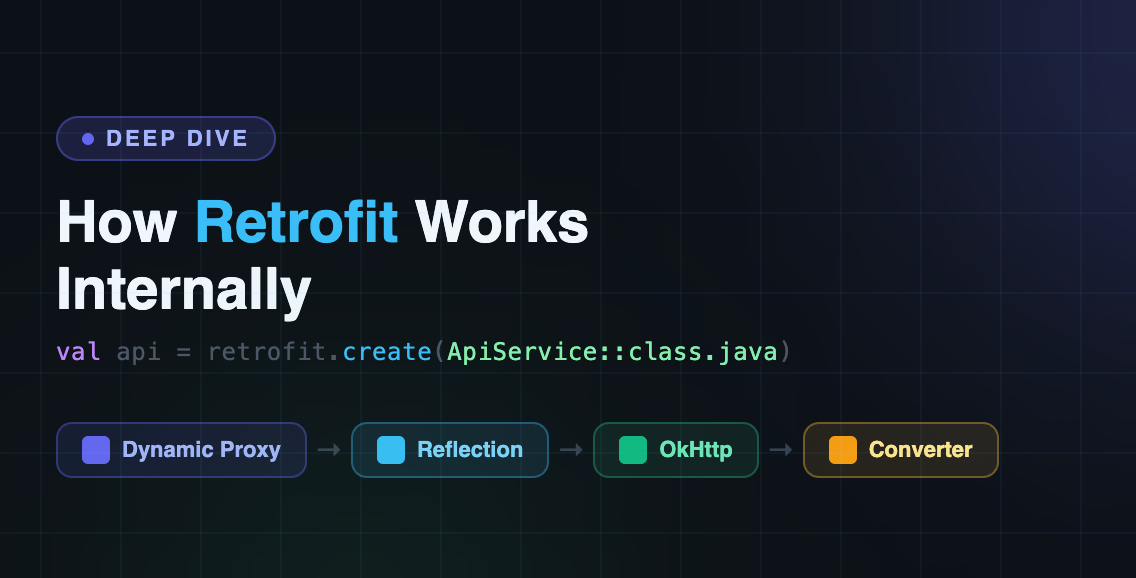
Behind this simple syntax, Retrofit uses several mechanisms such as Dynamic Proxy, Reflection, Request Builders, OkHttp, and Converters to perform the actual network call.
This article explains how Retrofit works internally step-by-step.
Retrofit makes network calls look almost like normal Kotlin function calls:
interface ApiService {
@GET("users")
suspend fun getUsers(): List<User>
}You write an interface, add annotations, and receive typed Kotlin objects. But Retrofit does not execute the HTTP request directly. Internally, it combines:
Java dynamic proxies.
Reflection.
Request builders.
Call adapters.
Converters.
OkHttp.
Understanding this flow helps when debugging networking issues and is especially useful in Android interviews.
1. Defining the API Contract
First, you describe the API using an interface:
interface ApiService {
@GET("users/{id}")
suspend fun getUser(
@Path("id") id: Int
): User
}This interface contains no implementation. It only describes:
HTTP method:
GETEndpoint:
users/{id}Parameter:
idReturn type:
User
Retrofit later reads this information and turns it into a real HTTP request.
2. Creating Retrofit
val retrofit = Retrofit.Builder()
.baseUrl("https://api.example.com/")
.addConverterFactory(GsonConverterFactory.create())
.build()The Retrofit object stores the configuration required to create and execute API calls.
Important components include:
Component | Responsibility |
|---|---|
Base URL | Prefix for relative endpoints |
| Executes HTTP requests |
| Converts request and response bodies |
| Adapts calls to coroutines, RxJava, or other types |
For example, Gson or Moshi converts JSON into Kotlin objects. Retrofit itself does not parse JSON directly.
3. retrofit.create() Uses a Dynamic Proxy
When you write:
val api = retrofit.create(ApiService::class.java)Retrofit does not generate a normal implementation class for ApiService. It creates a proxy object at runtime.
Conceptually, it uses something similar to:
Proxy.newProxyInstance(
service.classLoader,
arrayOf(service),
invocationHandler
)The returned object behaves like an ApiService, but method calls are handled by Retrofit’s invocation handler.
So when you call:
api.getUser(10)the method body is not inside ApiService. The proxy intercepts the call and passes the method information to Retrofit.
4. Retrofit Parses the Method
When the method is called for the first time, Retrofit examines its annotations and return type using reflection.
For this method:
@GET("users/{id}")
suspend fun getUser(
@Path("id") id: Int
): UserRetrofit extracts:
HTTP method:
GETRelative URL:
users/{id}Path parameter:
idReturn type:
UserWhether the method is a suspend function
Required response converter
Required call adapter
Internally, Retrofit creates objects such as:
ServiceMethodHttpServiceMethodRequestFactory
Modern Retrofit versions use RequestFactory to parse method annotations and parameter handlers. Retrofit caches the parsed method information, so it does not repeat all reflection work for every call.
5. Building the Request
Retrofit now uses the method metadata and arguments to construct an OkHttp request.
For:
api.getUser(10)the URL becomes:
https://api.example.com/users/10Retrofit processes annotations such as:
@GET("users")
@POST("users")
@Path("id")
@Query("page")
@Header("Authorization")
@BodyExample:
@GET("users")
suspend fun getUsers(
@Query("page") page: Int,
@Header("Authorization") token: String
): List<User>Retrofit converts the arguments into:
GET https://api.example.com/users?page=1
Authorization: Bearer tokenFor a request body, Retrofit uses a request converter to transform a Kotlin object into JSON or another supported format.
6. Call Adapters Handle the Return Type
Retrofit does not always return the same type. Depending on the API declaration, it may return:
Call<User>suspend fun getUser(): UserObservable<User>A CallAdapter connects Retrofit’s internal HTTP call to the return type declared by the developer.
For a normal Call<T>, Retrofit returns an OkHttpCall.
For a Kotlin suspend function, Retrofit uses special suspend handling internally. It suspends the coroutine while the request is running and resumes it when the response or error is available.
Conceptually:
OkHttpCall
↓
CallAdapter
↓
Call<User>, suspend User, Observable<User>, etc.This is why Retrofit can support coroutines, RxJava, and other asynchronous styles without changing its core networking engine.
7. OkHttp Executes the Request
Retrofit is responsible for translating the interface method into an HTTP call. OkHttp performs the actual networking.
The flow looks like this:
Retrofit
↓
OkHttpClient
↓
OkHttp Call
↓
Interceptors
↓
Network
↓
ServerOkHttp handles:
TCP connections.
TLS and HTTPS.
Connection pooling.
Request and response transmission.
Timeouts.
Interceptors.
Redirects.
Caching support.
Connection reuse.
A simplified OkHttp setup might look like this:
val client = OkHttpClient.Builder()
.addInterceptor { chain ->
val request = chain.request()
.newBuilder()
.addHeader("Accept", "application/json")
.build()
chain.proceed(request)
}
.build()Retrofit uses this client through its configured call factory. The official Retrofit API describes the call factory as the component used to create OkHttp calls for sending requests.
8. The Response Returns From OkHttp
Suppose the server returns:
HTTP/1.1 200 OK
Content-Type: application/json[
{
"id": 1,
"name": "John"
}
]At this stage, OkHttp has received an HTTP response. Retrofit still needs to convert the response body into the type declared by the API method.
The response contains information such as:
Status code.
Headers.
Response body.
Request details.
Error information, if applicable.
9. A Converter Parses the Response
Retrofit selects a response converter based on the declared return type.
For example:
interface ApiService {
@GET("users")
suspend fun getUsers(): List<User>
}If you registered Gson:
.addConverterFactory(GsonConverterFactory.create())the converter transforms:
JSON response
↓
List<User>Common converter choices include:
Converter | Typical use |
|---|---|
Gson | JSON serialization and parsing |
Moshi | JSON parsing with Kotlin support |
Kotlin serialization | Kotlin-first serialization |
Scalars | Plain text responses |
For a successful response, Retrofit converts the body into List<User>. For an unsuccessful response, such as HTTP 401 or 500, you usually receive a response containing an error status rather than a successful body object.
10. The Result Reaches the Caller
With coroutines:
val users = api.getUsers()the coroutine resumes with:
List<User>With Call<T>:
api.getUsers().enqueue(object : Callback<List<User>> {
override fun onResponse(
call: Call<List<User>>,
response: Response<List<User>>
) {
val users = response.body()
}
override fun onFailure(
call: Call<List<User>>,
error: Throwable
) {
// Handle network or conversion failure
}
})The result may be:
A successful converted body.
An HTTP error response.
A network failure.
A conversion failure.
A cancellation.
Retrofit does not make every request successful. It simply provides a structured path for executing the call and handling its result.
Complete Internal Flow
For a suspend function such as:
@GET("users")
suspend fun getUsers(): List<User>the simplified flow is:
api.getUsers()
↓
Dynamic proxy intercepts the method
↓
Retrofit loads cached method metadata
↓
Annotations are parsed
↓
RequestFactory builds the request
↓
HttpServiceMethod creates the call
↓
OkHttpCall is created
↓
CallAdapter handles the suspend return type
↓
OkHttp executes the request
↓
Server returns a response
↓
Converter parses the response body
↓
Coroutine resumes with List<User>A source-oriented version looks like:
Retrofit.create()
↓
InvocationHandler.invoke()
↓
loadServiceMethod()
↓
HttpServiceMethod
↓
RequestFactory
↓
OkHttpCall
↓
OkHttpClient
↓
Converter<ResponseBody, T>The exact internal classes can vary between Retrofit versions, but this architecture remains the important idea.
Why Retrofit Feels So Simple
Retrofit hides several complicated operations behind one interface method:
val users = api.getUsers()Internally, it handles:
Reading annotations.
Resolving method arguments.
Building URLs.
Creating headers and request bodies.
Selecting converters.
Selecting call adapters.
Creating OkHttp calls.
Executing the request.
Handling coroutine suspension.
Converting the response.
Returning a typed result.
This separation is what makes Retrofit flexible:
Retrofit defines the API contract.
Request factories build requests.
Call adapters handle return types.
OkHttp performs networking.
Converters transform data.
Final Takeaway
Retrofit is not the networking engine itself. It is an abstraction layer that translates a Kotlin interface method into an OkHttp request and converts the response back into the type you declared.
The core flow is:
Interface
→ Dynamic Proxy
→ Reflection and annotations
→ RequestFactory
→ HttpServiceMethod
→ CallAdapter
→ OkHttp
→ Converter
→ Kotlin resultSo when you call:
api.getUsers()Retrofit is silently coordinating several components to make that one line possible. This is the reason Retrofit gives developers a clean API while still remaining flexible enough to support coroutines, RxJava, custom converters, interceptors, and different response types.
Comments (0)
No comments yet. Be the first to share your thoughts!
Leave a Comment
Get the latest updates
Join our newsletter and never miss an article.